realbacktesting Tools · cBot for cTrader
Trade Copier
One account trades. The others follow.
Copy every trade from one cTrader account to as many others as you want - on the same PC or VPS, across different brokers, without anything leaving your computer.
Free · Full version $39 launch price, one-time Rises $5 every 5 sales, up to $59. Confirm the current price in Store.
How it works
Three steps. Then trade as usual.
Add the cBot to the account you trade on
Set Role = Sender. Leave Channel on main.
Add it to each account that should copy
Set Role = Receiver. Each account runs in its own cTrader and can be at a different broker.
Trade as usual on the Sender
Each cBot says on its chart what it is doing. The Sender lists every Receiver and whether it is alive.
Every setting, explained in the setup guide ↗
▶ Watch: set up the Trade Copier in three stepsSeveral cTraders on one computer · Sender and Receivers · symbols mapped across brokers3:27
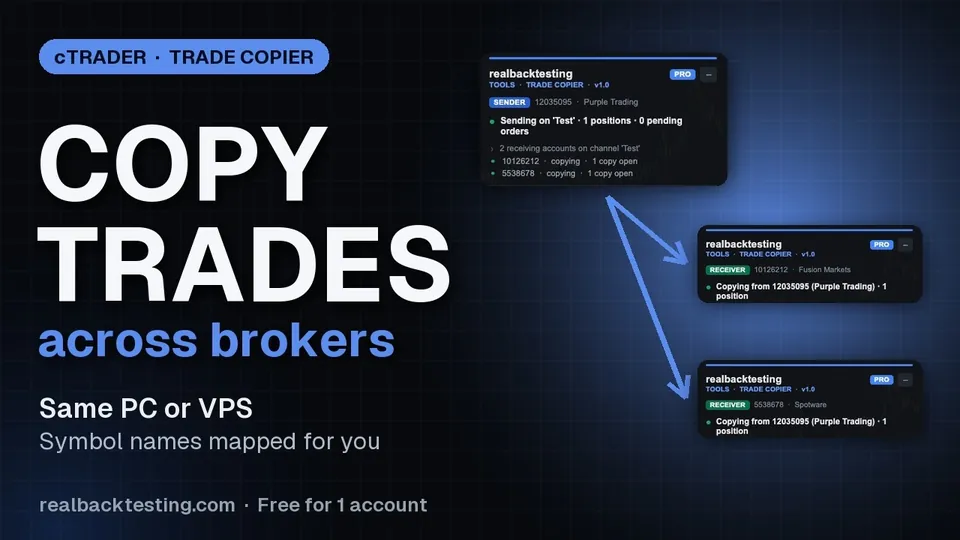
Pressing play loads the video from YouTube (youtube-nocookie.com).
Across brokers
Different names.
Same market.
XAUUSD on one broker is GOLD on another. The copier maps names on its own - broker suffixes and prefixes, an alias table, base and quote currency - and we test the mapping against the full symbol lists of six cTrader brokers.
It never guesses. No exact match, no copy - and the log tells you the one line to add. A mapping where the money per point differs by more than 5x is refused.
| On the Sender | The Receiver’s broker lists | Copied as | How |
|---|---|---|---|
| XAUUSD | GOLD | GOLD | alias table |
| US100.cash | NAS100 | NAS100 | alias table |
| GER40.cash | Germany 40 | Germany 40 | alias table |
| EURUSD | EURUSD.r | EURUSD.r | broker suffix |
| WTI (spot) | WTI (future), XTIUSD (spot) | XTIUSD | spot preferred |
| BTCUSD | not listed | not copied | the log names the line to add to “Symbol map” |
What it copies
Everything the Sender does with a trade.
- Market positions, with stop loss and take profit, and every later SL/TP move
- Partial closes and volume increases
- Pending orders - limit, stop and stop-limit - with their edits, expiry and cancellation
- Closes are optional: switch them off and each copy stays open when the original closes, for you to manage
- A pending order that filled on the Sender first stays working on the Receiver. It is never chased with a market order.
Built not to lose track
It copies state, not messages.
Sender trading
Snapshots four times a second. Receivers match them.
Receivers hold
Silent or disconnected: nothing is opened or closed.
A stop moves, a trade closes
On the Sender account, by hand or by another cBot.
Everything catches up
The next snapshot moves the SL and closes that copy. No duplicates.
- Holds if the Sender stops. Sender silent or disconnected: Receivers hold. Nothing is closed.
- Never guesses a symbol. No exact match, no copy - and the log tells you the one line to add.
- Closes only when sure. A copy closes after its original has been missing for 1.5 seconds and two snapshots in a row.
- One Sender per channel. A second Sender on the same channel switches itself off instead of competing.
- Your decisions stay. A copy you close by hand, or that hits its own stop, is not reopened.
- Survives a restart. Which copy belongs to which original is stored with the broker, in the copy’s label - not in a file on your disk.
Each account copies at its own size.
- Same as Sender - the same money per point. When two brokers size a contract differently, the lot is corrected.
- Proportional to balance, fixed lots, or risk % per trade measured to the stop loss
- Multiplier, per-symbol multipliers, max lots per trade
- Below the broker minimum the trade is skipped, not rounded up. Rounding up is an option, off by default.
Limits that act on the copies.
- Daily loss limit % - closes the copies and pauses copying until the next day. The day resets at midnight Central European time.
- Max total loss % - closes the copies and stops copying.
- Both act on the copies only. Your own manual trades on that account are not touched.
Filters, execution and language
- Buys only or sells only
- Only, or skip, the symbols you list
- Manual trades only, or only trades whose label contains a text
- Skip trades that arrive without a stop loss
- Max price deviation from the Sender’s entry
- Copy hours (UTC)
- Reverse copy: buy becomes sell, stop loss becomes take profit
- One Receiver can follow several Senders, each on its own channel
- Panel, log and alerts in English, Spanish, French or Portuguese
Telegram alerts
Know when something needs you.
Optional alerts to your own Telegram bot: a Sender that goes silent, a Receiver that stops copying, a copy the broker rejected, a symbol that cannot be mapped, a protection that triggered - and, if you want, every copy. Desktop and VPS only.
▶ Watch: set up Telegram alerts, step by stepCreate the bot in BotFather · get the token and your chat id · paste both into the cBot2:38
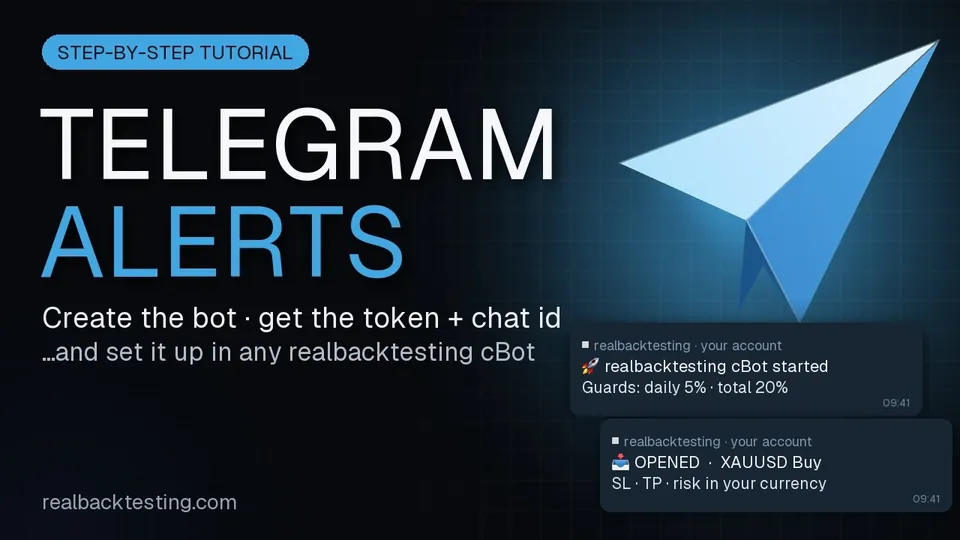
Pressing play loads the video from YouTube (youtube-nocookie.com).
Two editions
Same copier. One difference.
One receiving account per computer
Every feature, live and demo. Not a demo. Copy from your main account to a smaller one, or from a demo to a live account, and see it work before you pay anything.
Free edition · coming soonAs many receivers as you run
$39 launch price, one-time. No subscription and no fee per account. No sales and no discounts: the price rises $5 every 5 sales, up to $59. Early buyers pay the least.
- Copy between two different computers, or to or from MetaTrader. Every account runs in a cTrader on the same PC or VPS.
- Run in cTrader Cloud. Cloud instances cannot see each other.
- Copy while the computer is off. When it is back, copies of closed originals are closed; trades opened more than 60 seconds earlier are not joined unless you enable “Join trades already open”.
- Give identical fills. Two brokers never quote the same price at the same millisecond.
Several prop firms allow copying between your own accounts up to a capital limit. Others do not, and some forbid copiers that run on a third-party server. This one runs only on your computer. Read your firm’s rules before you copy between funded accounts. The copier has no features to hide copying from anyone: no randomised lots, no randomised delays.
Questions
I can only open one cTrader. How do I run several accounts?
Each account needs its own cTrader window. In cTrader, open Settings › Start-up: Single instance allows only one window. Choose Multiple profiles and create one profile per account, so that after a restart every window comes back with its own account and its own cBot. Multiple instances also opens several windows, but they share one settings profile. On a Mac you can also use Multiple instances and open each extra window from Terminal with open -n -a cTrader. The setup guide has the steps for Windows and Mac.
Do the accounts have to be at the same broker?
No. Each account runs in its own cTrader, at any broker, on the same PC or VPS. Symbol names are mapped for you, and the lot is corrected when two brokers size a contract differently.
A symbol was not copied. Why?
Either the Receiver’s broker does not offer that market, or it lists it under a name the copier cannot match exactly. It never guesses: the log tells you the one line to add to Symbol map.
What happens if my PC restarts or cTrader closes?
Receivers hold and close nothing while the Sender is away. When everything is back, the next snapshot tells each Receiver what to open, change or close.
Can I use it with prop firm accounts?
Several prop firms allow copying between your own accounts up to a capital limit. Others do not, and some forbid copiers that run on a third-party server. This one runs only on your computer. Read your firm’s rules before you copy between funded accounts. The copier has no features to hide copying from anyone: no randomised lots, no randomised delays.
Does anything leave my computer?
The copy does not: Sender and Receivers talk through storage on your own machine. There is no server and no account to create. Telegram alerts are optional; if you turn them on, they go to your own Telegram bot.
What does the Free edition limit?
Only the number of receiving accounts: one per computer. Everything else is the same. A second receiving account on the same computer does not copy, and its panel tells you why.
Are updates free?
Yes. One-time price, no subscription, no fee per account.
More answers in the setup guide ↗
Questions? We answer every message.
Trading involves substantial risk of loss and is not suitable for every investor. A trade copier repeats losses as faithfully as gains. This is trading software, not investment advice.